Yield Estimation
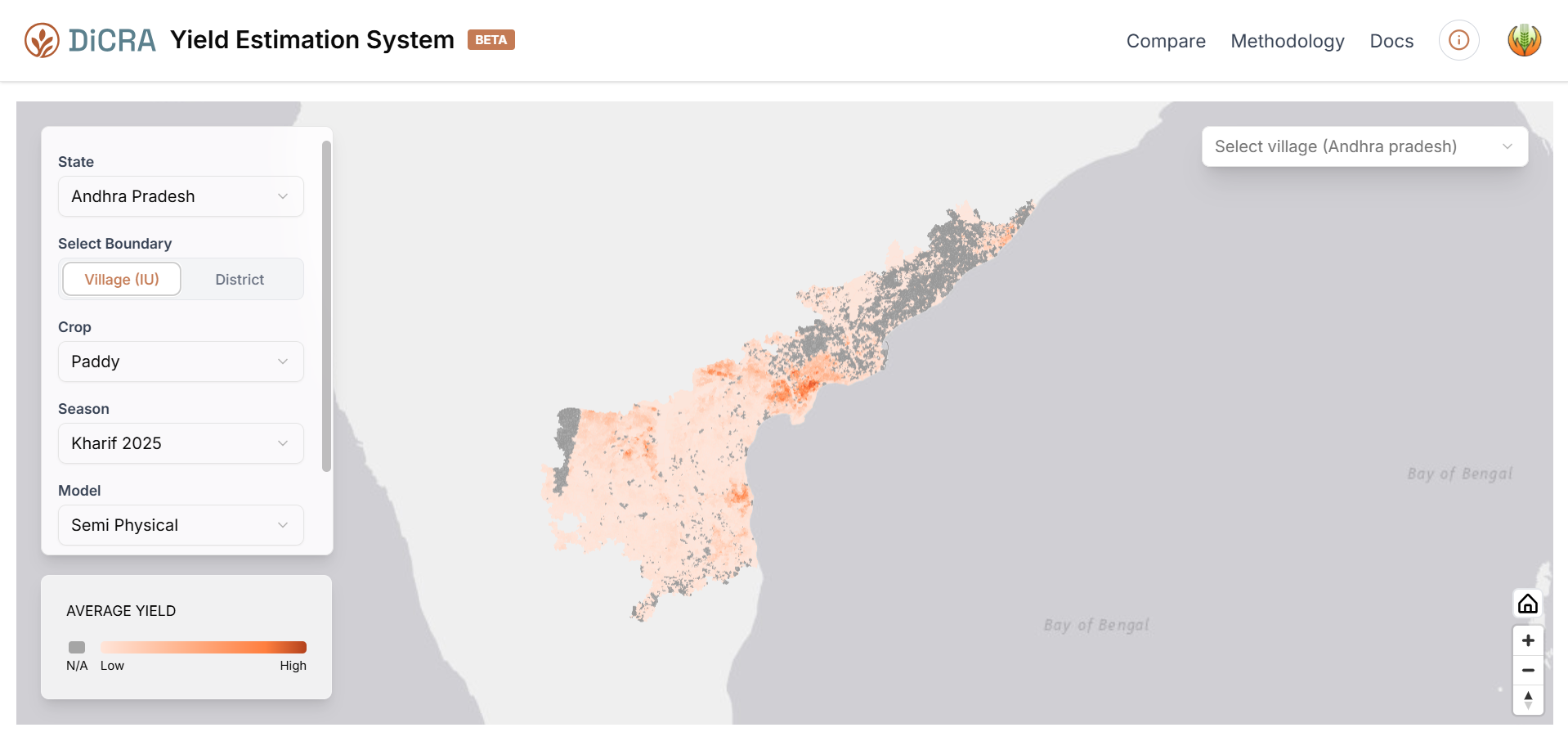
The DiCRA Yield Estimation System is a satellite-driven portal that provides crop yield projections at the village (Insurance Unit) and district levels across Indian states.
The dashboard presents a full-screen interactive map displaying spatially distributed yield estimates across the selected state, a Layer Selection Panel on the left for configuring data parameters, and a Yield Information Panel on the right that appears upon selecting a geographic unit. The top navigation bar provides access to the Compare tool, Methodology documentation, and the Docs section.
Layer Selection Panel
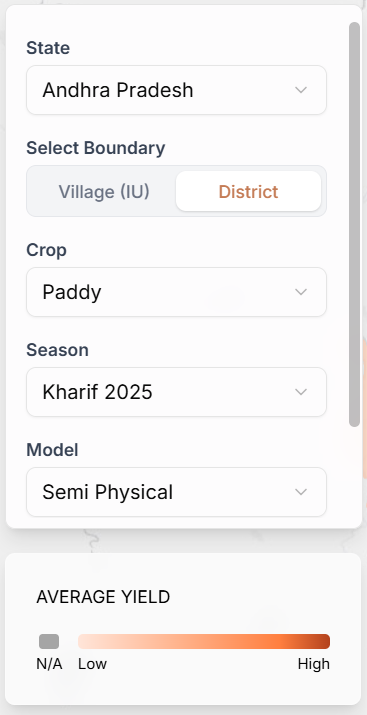
The Layer Selection Panel is located on the left side of the dashboard. It controls the data displayed on the map through five configurable parameters.
- Use the State dropdown to select the state. Only states with available model outputs will appear as selectable options.
- Use the Village (IU) / District toggle to switch between two spatial resolutions. Selecting Village (IU) renders yield estimates at the village level, corresponding to the Insurance Unit used under crop insurance schemes such as PMFBY. Selecting District aggregates estimates at the district level.
- Use the Crop dropdown to select the crop type for which estimates should be displayed (e.g., Paddy). Only crops with model outputs for those parameters will appear.
- Use the Season dropdown to select the agricultural season and year.
- Use the Model dropdown to select the yield estimation methodology. Refer to the Methodology section for a detailed description of each model.
Info Panel
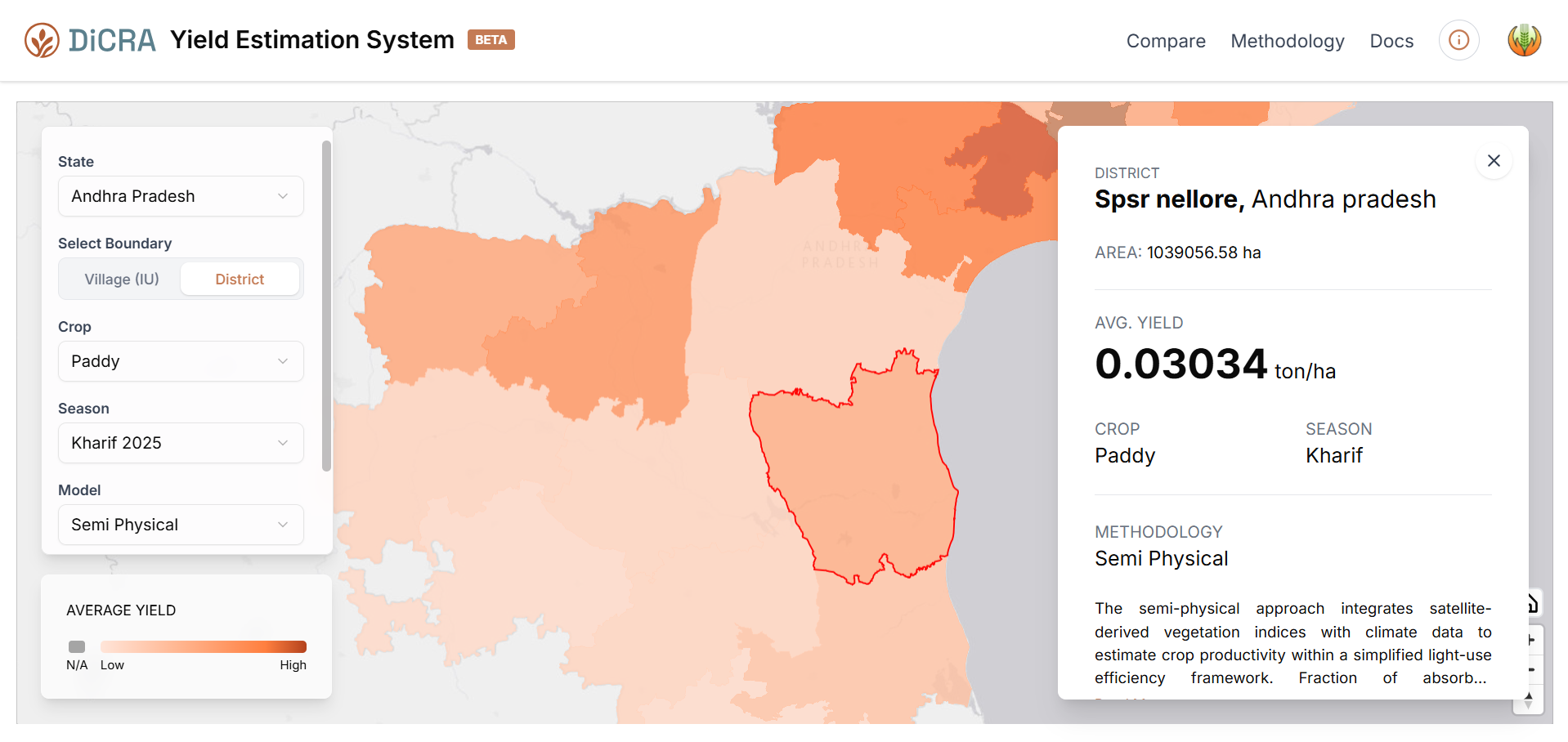
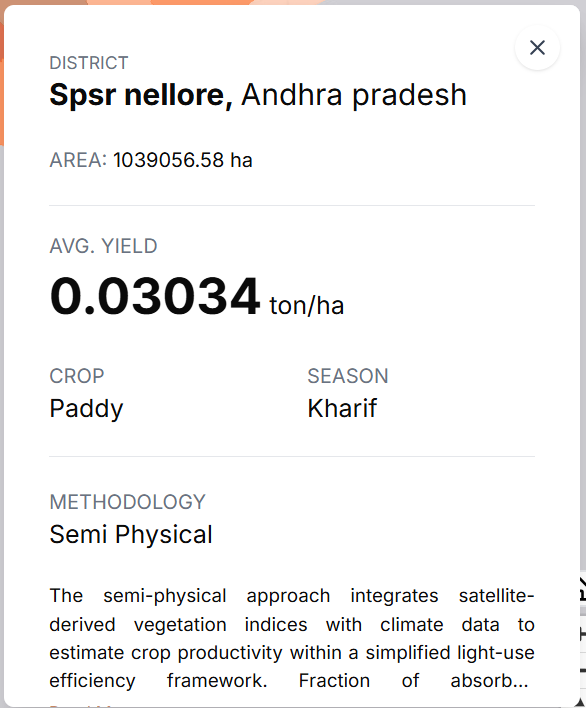
The Yield Information Panel appears on the right side of the screen when a user clicks on a village or district polygon on the map.
- Displays the name and administrative context of the selected unit at the top of the panel. The total geographic area of the selected unit in hectares (ha) is also shown below the header.
- The estimated average yield for the selected unit, crop, season, and model is displayed prominently in ton/ha.
- The name of the model applied (e.g., Semi Physical) is shown. Click Read More to expand the full methodology description within the panel.
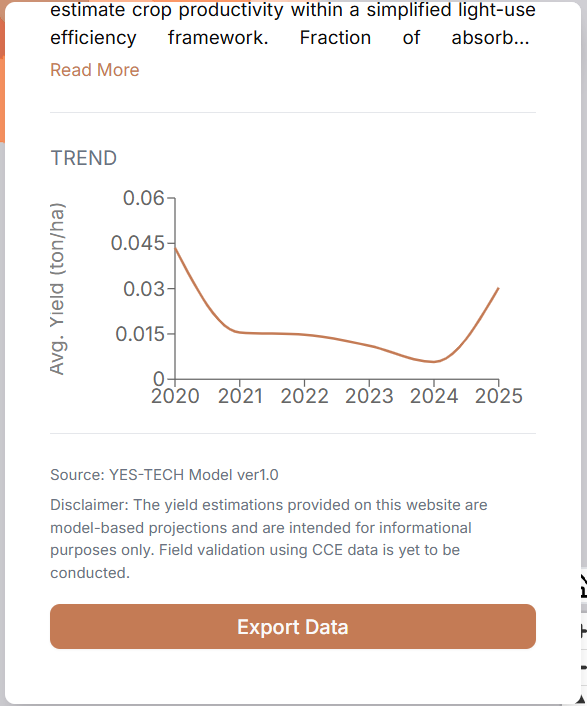
- A line chart displays the average yield (ton/ha) for the selected location across multiple years from 2020 to 2025.
- Users are advised that field validation using Crop Cutting Experiment (CCE) data is yet to be conducted.
- The Export Data button at the bottom of the panel allows users to download the yield estimate data for the currently selected geographic unit, crop, season, and model in a CSV format.
Yield Comparison
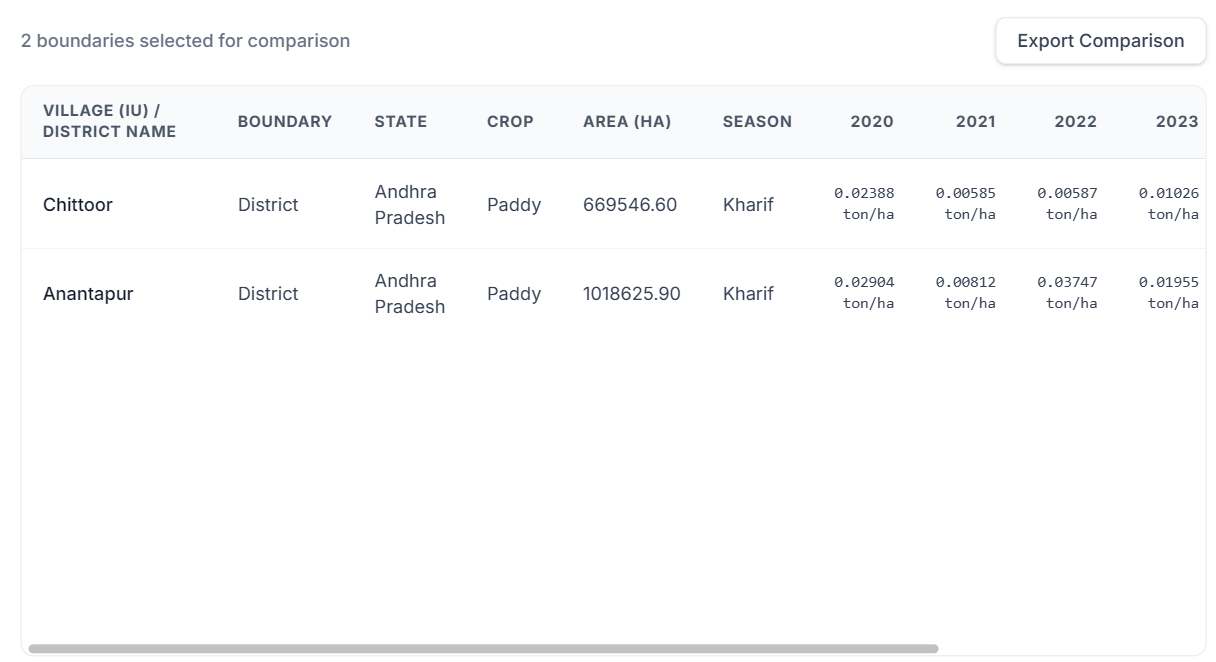
Clicking the Compare button on the top right allows users to select the yield across multiple different areas and then compare and export their values.
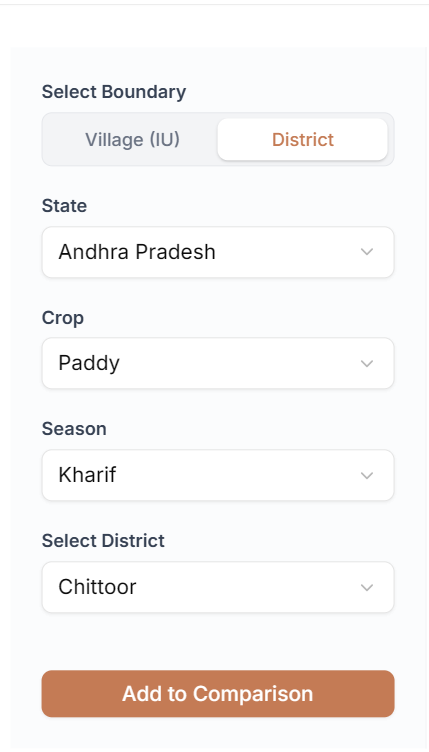
In the selection panel:
- Click the Village (IU) tab to compare individual village-level data, or click the District tab to compare aggregated district-level data.
- Click the State, Crop, Season & Location dropdowns to choose your desired options.
- Click the Add to Comparison button.
- The selected data set is added to the comparison table.
In the comparison panel:
- View all the information related to the yield data being compared, including area, crop selected, and historic trend values for the past 5 years.
- The export button on the top right allows the user to export the comparison as a CSV sheet file.