PLP
This section for the PLP Chatbot details workflows for authorized users to query Potential Linked Credit Plan content. Note that the PLP Chatbot is only available to authorised NABARD personnel.
Admin Analytics Dashboard
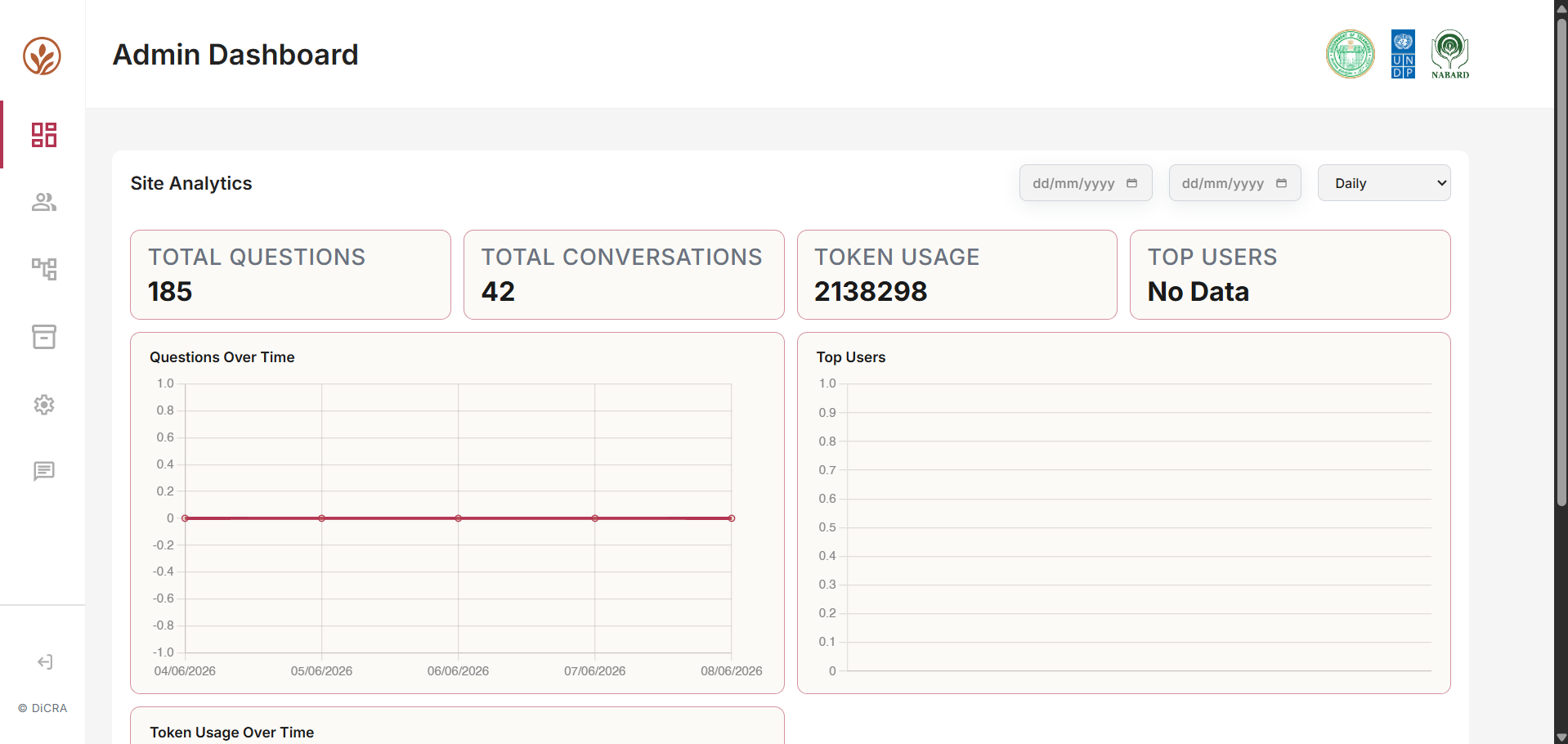
The Admin Analytics Dashboard serves for monitoring platform activity, user engagement, AI utilization, and operational performance. It provides administrators with real-time visibility into system usage.
The dashboard is divided into five key areas:
- Navigation Panel
- Date & Time Filters
- KPI Summary Cards
- Analytics & Visualization Section
- User Activity Monitoring
Date & Time Filters
Select the beginning date for analytics calculations and the aggregation level of analytics data. Examples:
- Last 7 days
- Last 30 days
- Quarterly review
- Custom period
Aggregation can be done daily, monthly, or yearly.
Navigation Panel (Left Sidebar)
The sidebar provides quick access to all major modules of the platform.
| Module | Function |
|---|---|
| Dashboard | Overview analytics |
| Knowledge Base | Manage uploaded content |
| User Management | View and manage users |
| Data Management | Export reports and analytics |
| Chat | Chat with AI to fetch files quickly |
| Settings | Platform configuration |
User Management Module
The User Management module enables administrators to efficiently manage platform users, control access permissions, and monitor account status.
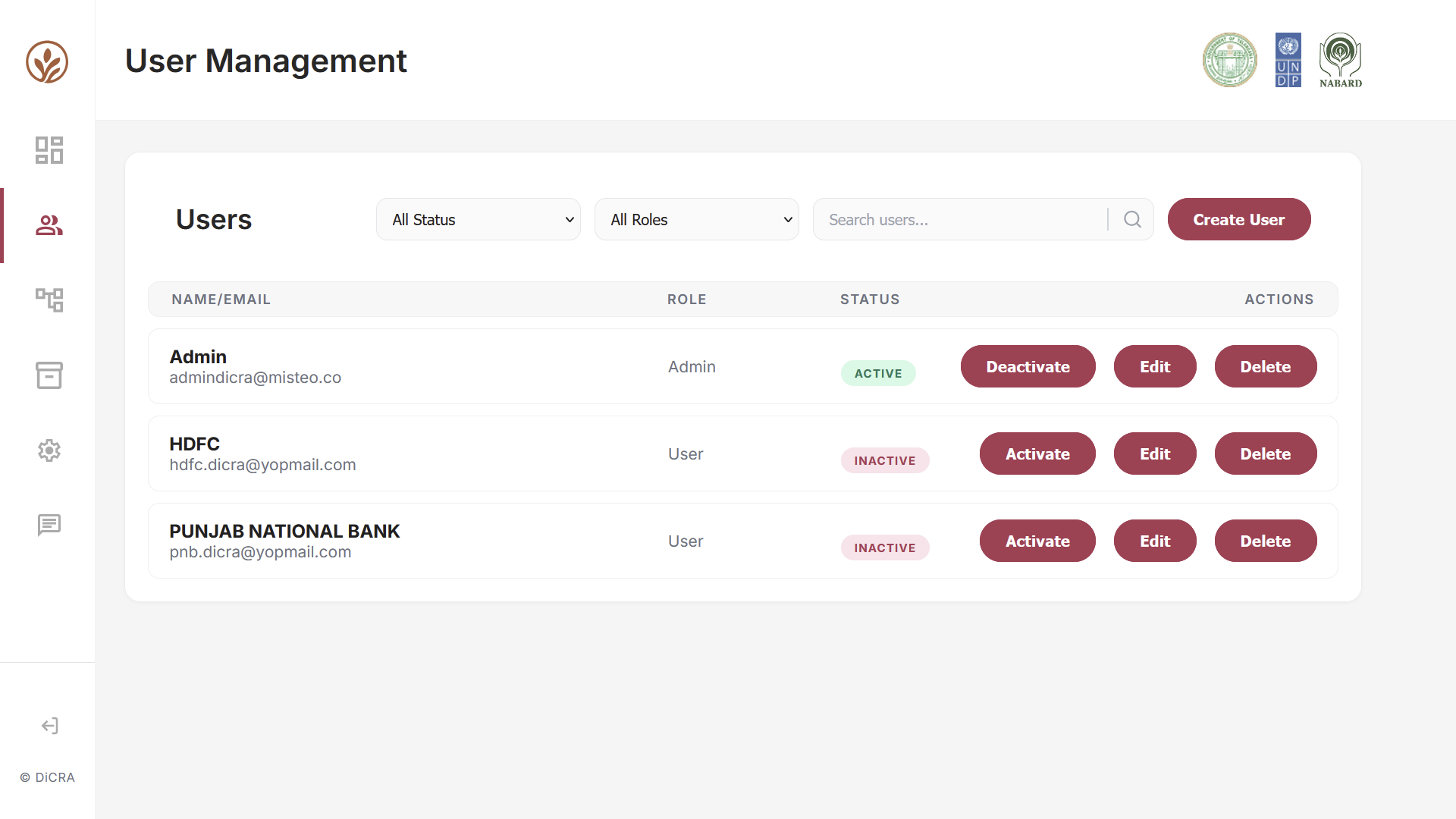
It provides a centralized view of all registered users, displaying key information such as:
- User Name
- Email Address
- Assigned Role
- Account Status
- Available Actions
This allows administrators to quickly review and manage user accounts without navigating to multiple screens.
Role-Based Filtering
Administrators can filter users based on assigned roles such as:
- Admin
- User
- Department Manager
- Custom Organizational Roles
This helps quickly identify users with specific access privileges and supports governance and security audits.
Status Filtering
Users can be filtered by account status:
- Active — users with platform access.
- Inactive — users whose access has been temporarily disabled.
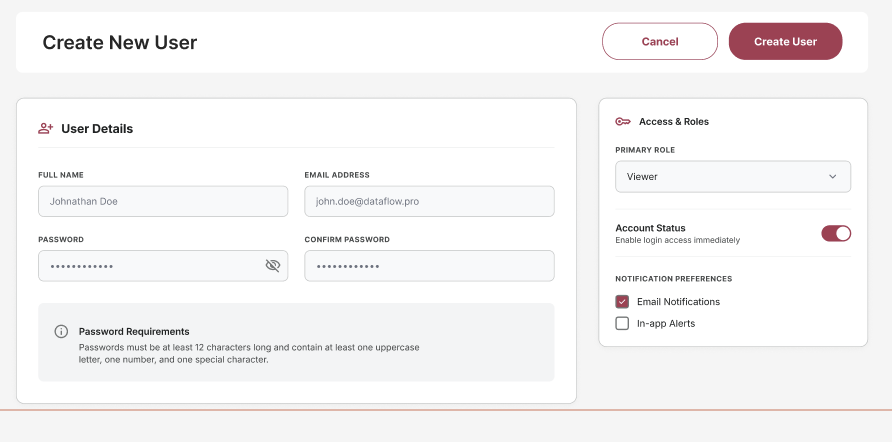
Create User
The Create User functionality allows administrators to onboard new users by assigning:
- Personal Information
- Organizational Details
- User Roles
- Access Permissions
Admin Control
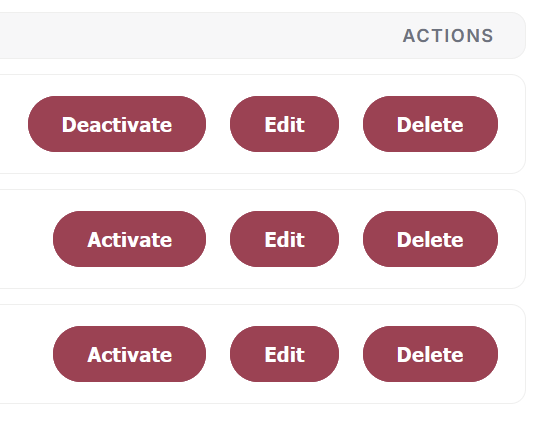
- Administrators can control user access through Activate User.
- Deactivate User temporarily disables access while preserving user data and activity history.
- Administrators can edit user details, contact information, and roles & permissions.
This ensures user information remains accurate and aligned with organizational changes.
Delete User
Allows removal of obsolete or duplicate accounts while supporting organizational data management policies.
Data Management Module
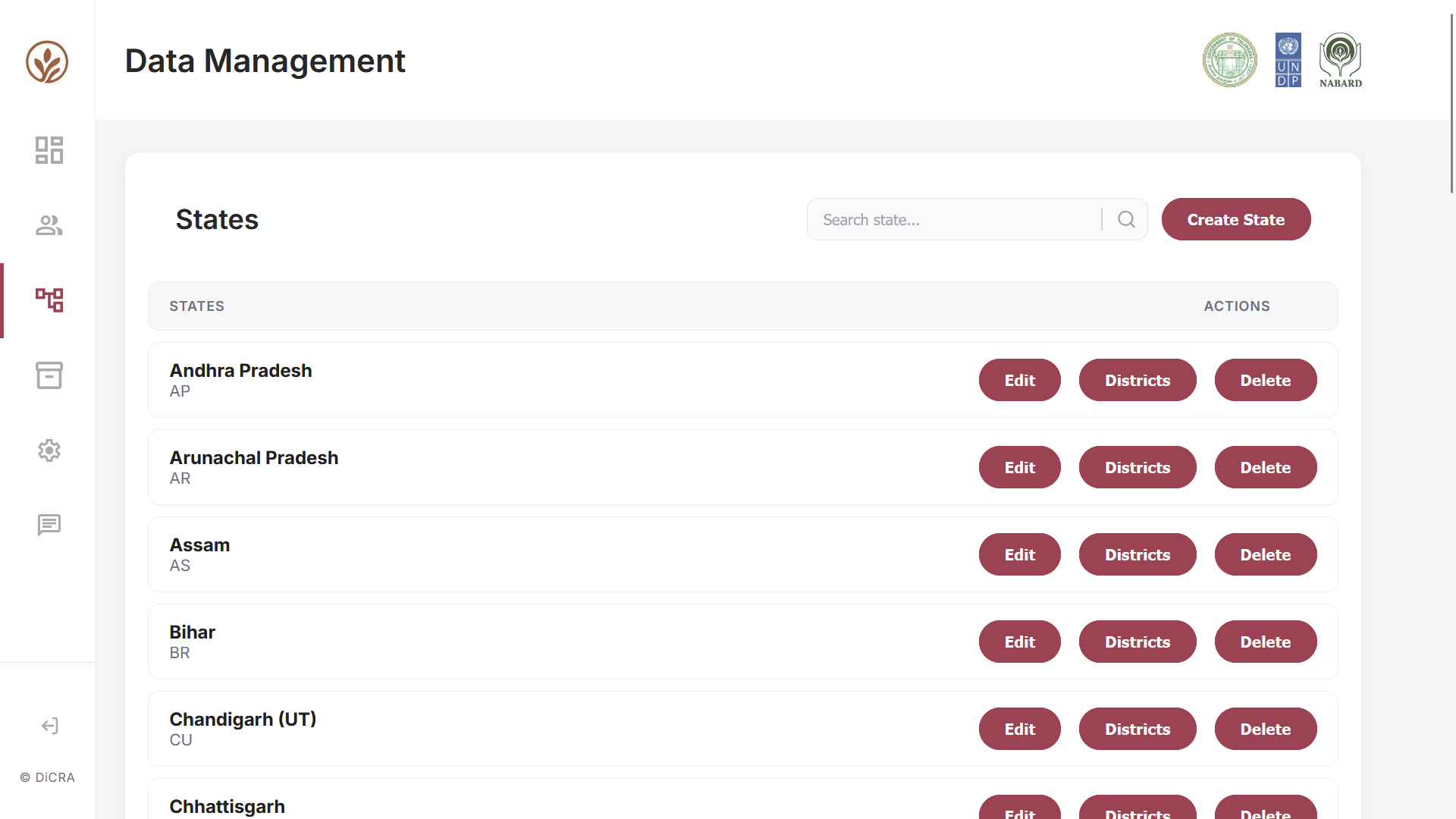
The Data Management module provides administrators with a centralized interface to manage the platform's data.
State Directory
Provides a centralized view of all configured states and union territories, displaying:
- State Name
- State Code/Abbreviation
This allows administrators to quickly view and manage geographical records from a single location.
Edit State Information
Administrators can update existing state records, including:
- State Name
- State Code
- Associated Metadata
This helps maintain accurate and up-to-date information across the platform.
District Management
The Districts action provides access to the district-level hierarchy associated with each state. Administrators can:
- view districts within a state
- add new districts
- edit district information
This supports granular data organization and location-based administration.
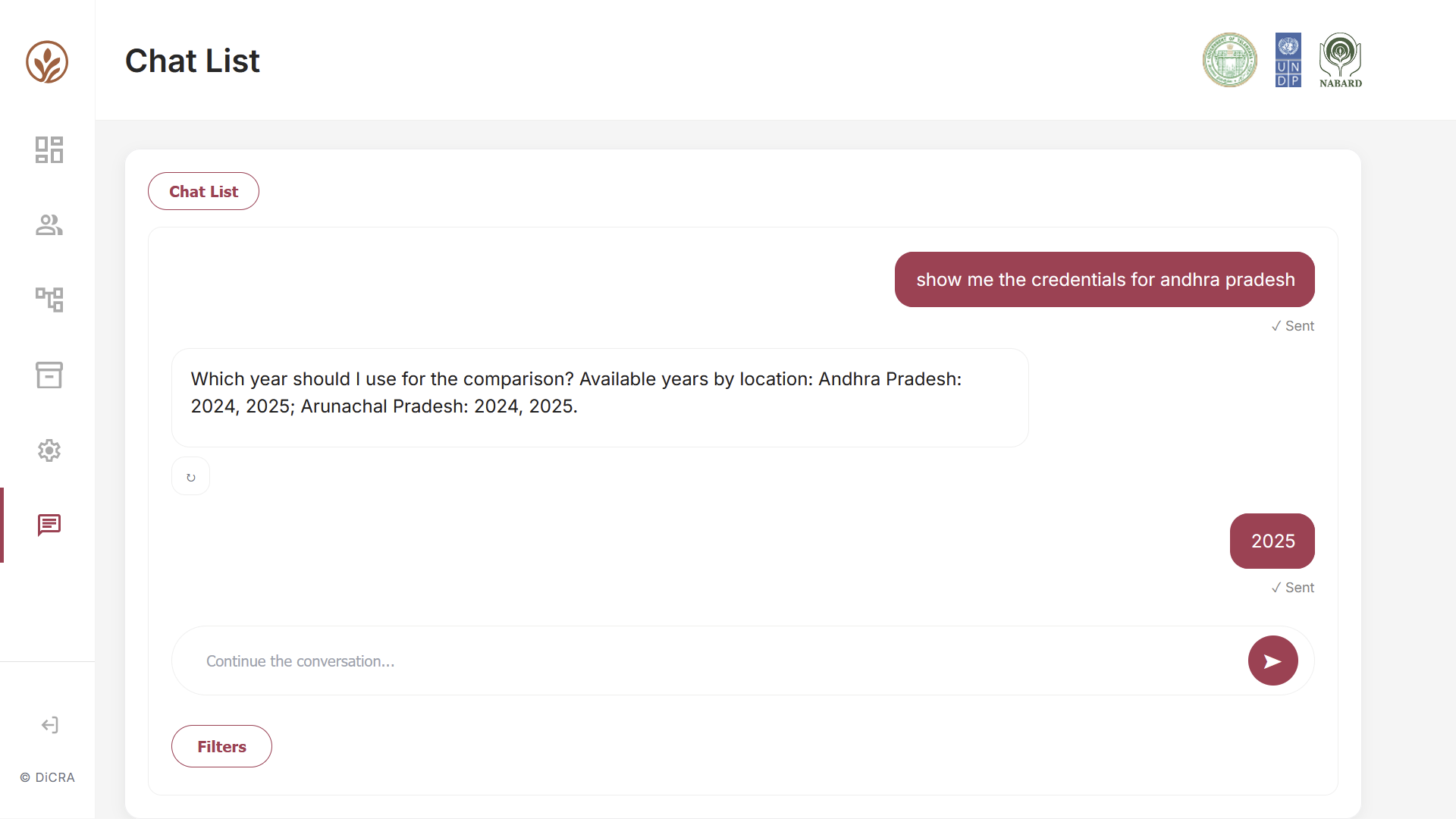
Chat Interface & AI Assistant
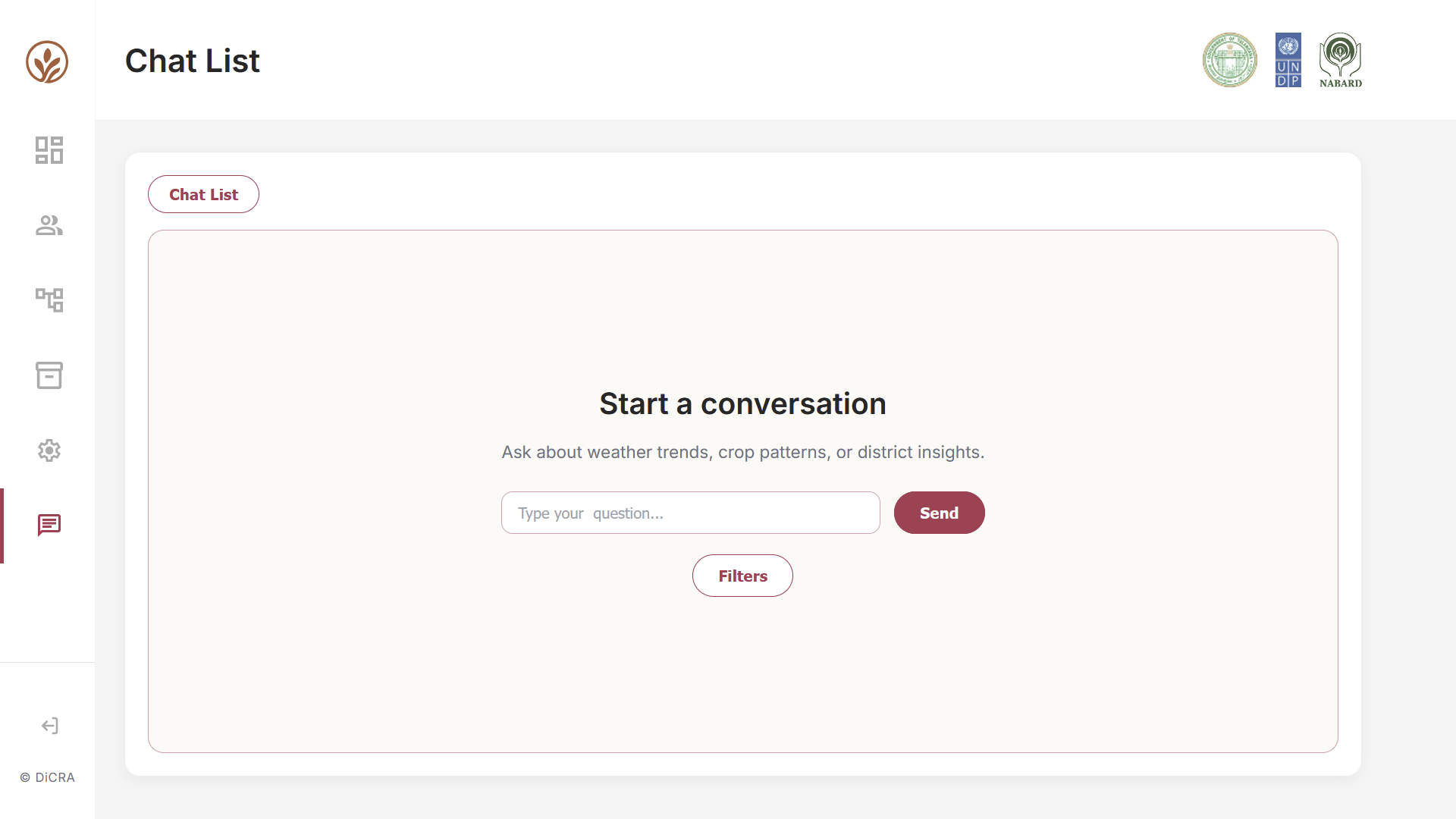
The Chat Interface enables users to interact with the platform using natural language queries and receive instant AI-powered insights. It provides a simple and intuitive way to access PLP Credit Document information.
Settings & AI Configuration Module
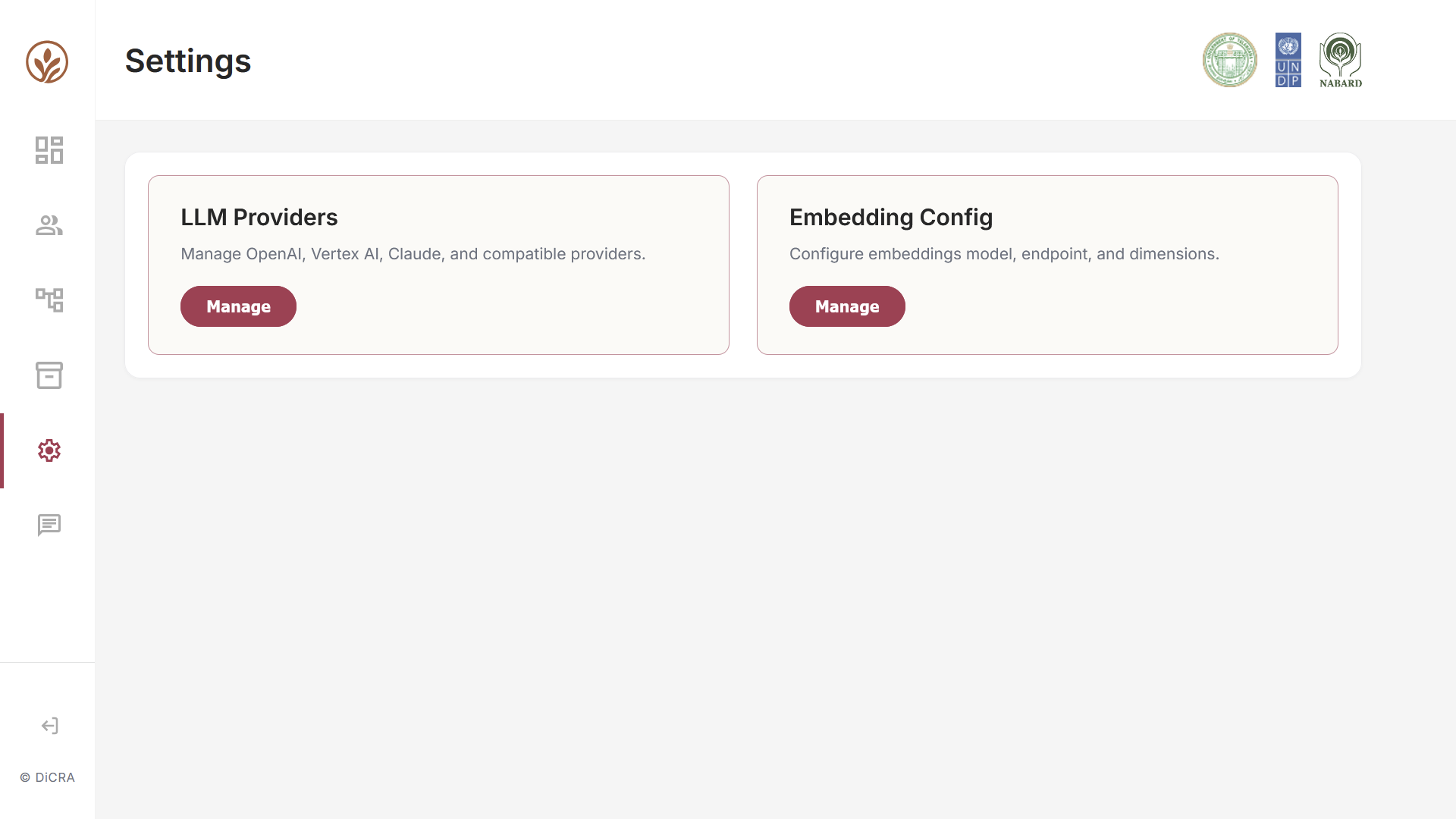
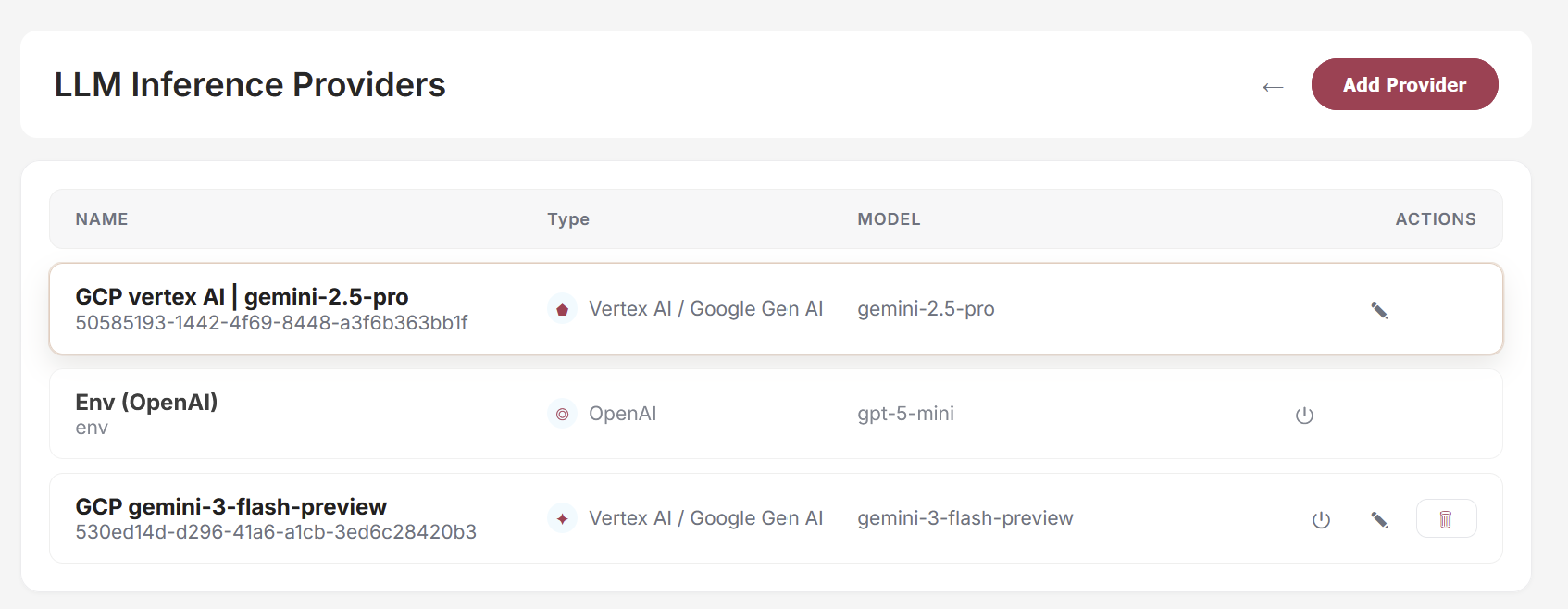
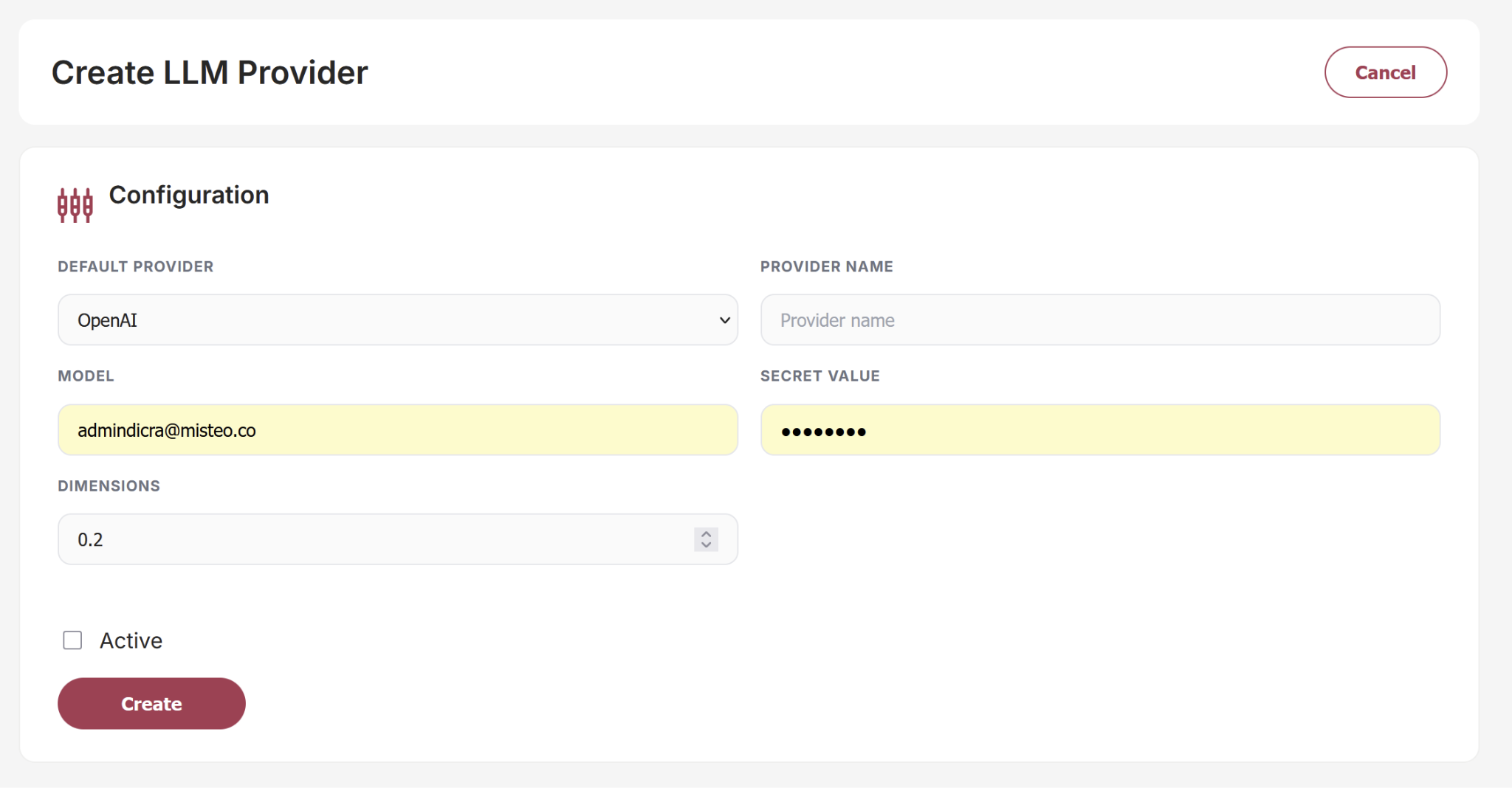
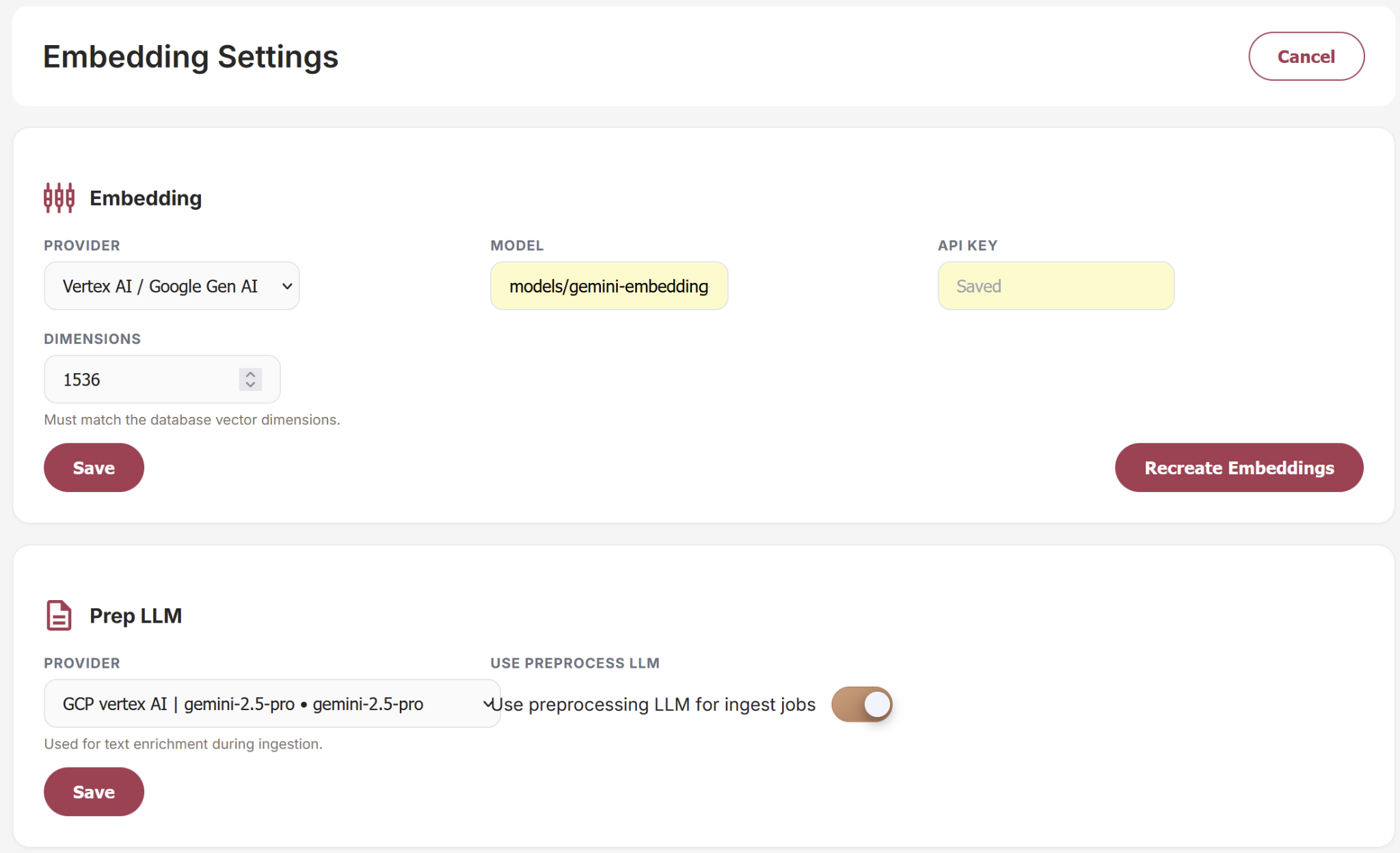
The Settings module provides administrators with centralized control over the platform's AI infrastructure and configuration. It enables the management of AI service providers, model settings, and embedding configurations that power the platform's intelligent search and conversational capabilities. This module ensures flexibility, scalability, and seamless integration with multiple AI technologies. It is recommended not to make any changes here since they are fine-tuned already.
LLM Provider Management
Allows administrators to configure and manage supported Large Language Model (LLM) providers, including:
- OpenAI
- Vertex AI
- Claude
- Other compatible AI services
This enables organizations to select and switch between AI providers based on performance, cost, or operational requirements.
Embedding Configuration
Provides controls for managing the embedding models used for semantic search, knowledge retrieval, and AI-powered recommendations. Administrators can configure:
- Embedding Models
- API Endpoints
- Vector Dimensions
- Retrieval Settings
This ensures accurate information retrieval and optimized AI performance across the platform.
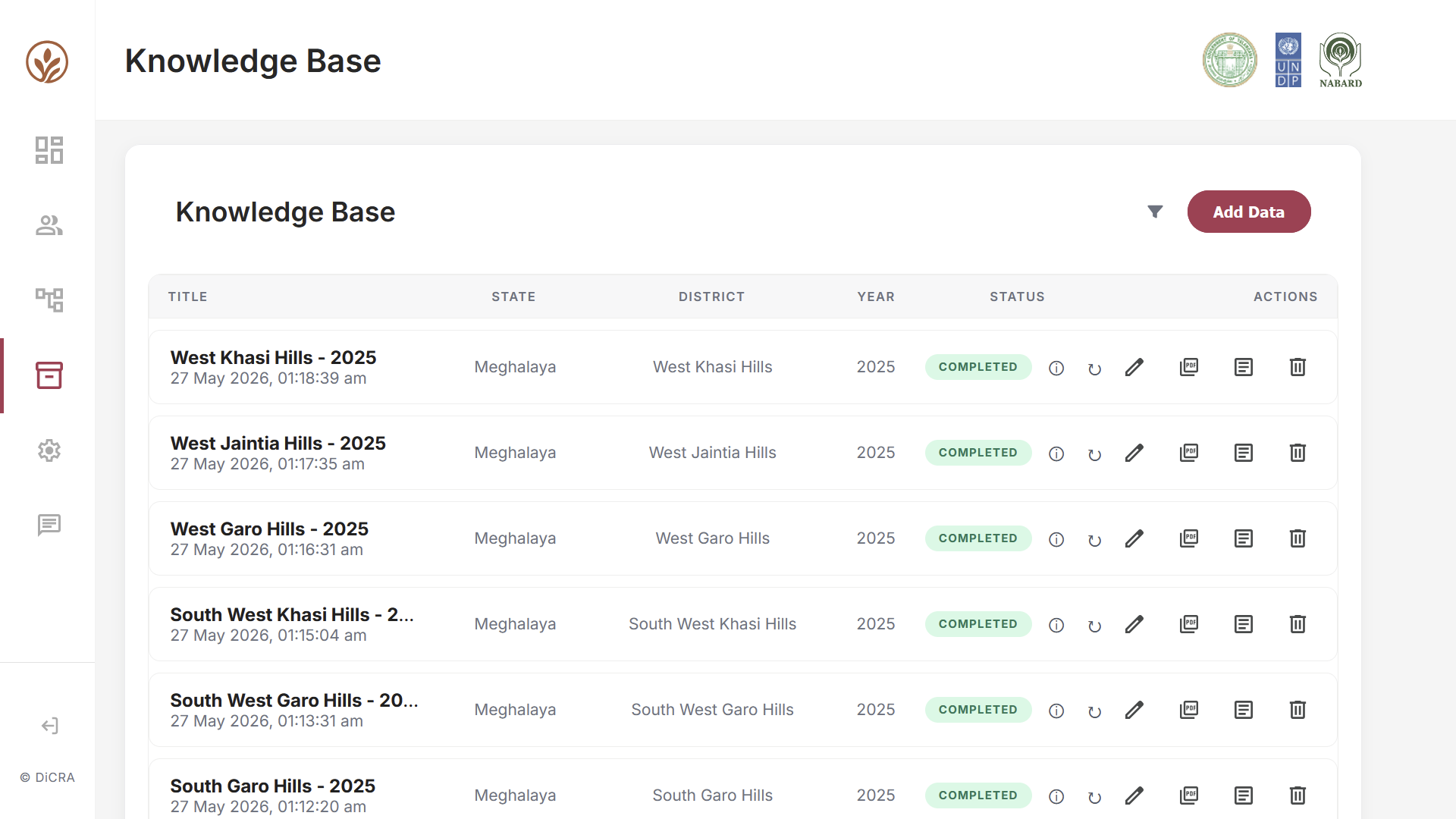
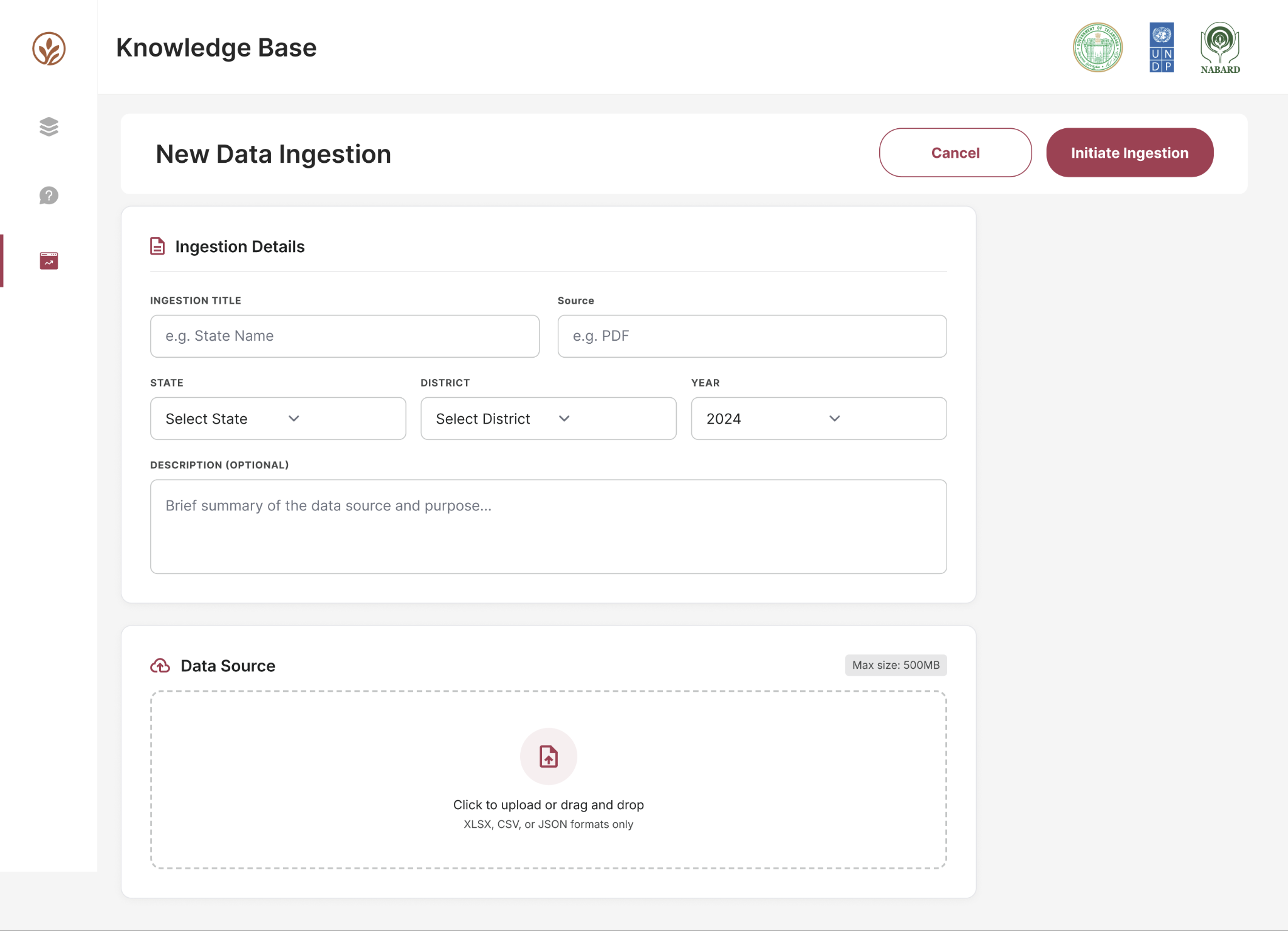
Knowledge Base Module
The Knowledge Base module enables administrators to manage the documents and datasets that power the platform's AI-driven insights. It serves as a centralized repository for uploading, organizing, and maintaining knowledge assets.